Before you re-vibe in Rust
Let's bring back skins for apps
2026-10-11 50980e7This week the internet was very busy with someone who rewrote the Adobe suite in Rust. I think this says something about where we are. Rewriting, or vibe coding actually isn't the term I would like to use, it's more that people are building custom tools that fit their use cases in some cases better than the original.
I'm not saying I called it, I think the first time this idea entered my head was when I saw what Ben Vallack did. But as we move into this phase of rebuilding our desktops one app at a time, I have a proposal for you: let's bring back skins.
We're about to get a whole lot of small, personal, hand-built desktop apps. If they're going to sit side by side on our desktops, they should have something in common. That something should not be "they all look the same".
And now let me tell you the shockingly rapid story of how a Winamp clone turned into a design language, and why I think it's a good fit for anyone building their own desktop apps.
A Breaking Benjamin concert, and an XP desktop
It started with a random Instagram video of a Breaking Benjamin concert, and the screen behind them showed a Windows XP desktop playing their song in a Halo 2 skinned Winamp. The kind of thing I remember passing around as a teenager on burnable CDs and in the later more advanced years, USB drives.
I couldn't remember the last time any app on my desktop looked so different from the others, in fact a lot of effort has gone into avoiding it. (No the websites wrapped in Electron don't count, those are called Appbominations)
So I opened a terminal and asked for one.
A music player in nine prompts
I use Linux, so the plan was a Winamp for Linux: LinAmp, but I later changed it to UnAmp, as in Unix, because let's face it I am probably one video away from forking FreeBSD so we need to be forward compatible. So off to claude I went for a silly little exercise that I definitely wouldn't spend a weekend going down a rabbit hole on:
- "lets create LinAmp in egui just like photograph, but use the base egui style. Its a music player, it can point to a folder or a network mount and play misic, display album art and i mean... you can guess where we are going with the name"
- "also take the whole ADR concept"
- "rename it UnAmp as in Unix"
- "we should use windows in egui for media library ,playlist , player, equaliser"
- "continue"
- "what the heck is .ron?"
- "lol, interesting, lets support skins and make the first skin look like the old green steam client"
- "theme should be in a toml file"
- "it will default to the egui one but you can select steam classic"
The tenth prompt was me asking how many prompts I'd sent, because I genuinely couldn't believe it.
Those nine prompts produced:
- a music player that plays MP3, FLAC, Vorbis, WAV, AAC and friends, off a local folder or a NAS share;
- album art, a big blinking time display and a live spectrum analyser;
- a working 10-band equaliser with Winamp's presets;
- a media library, a playlist and floating windows for each, the way Winamp had them;
- a skin system, with a recreation of the old olive-green Steam client as the first skin.
That came to 3,542 lines of Rust and 38 tests. Here it is, built from that commit and playing, in the Steam Classic skin from prompt seven:
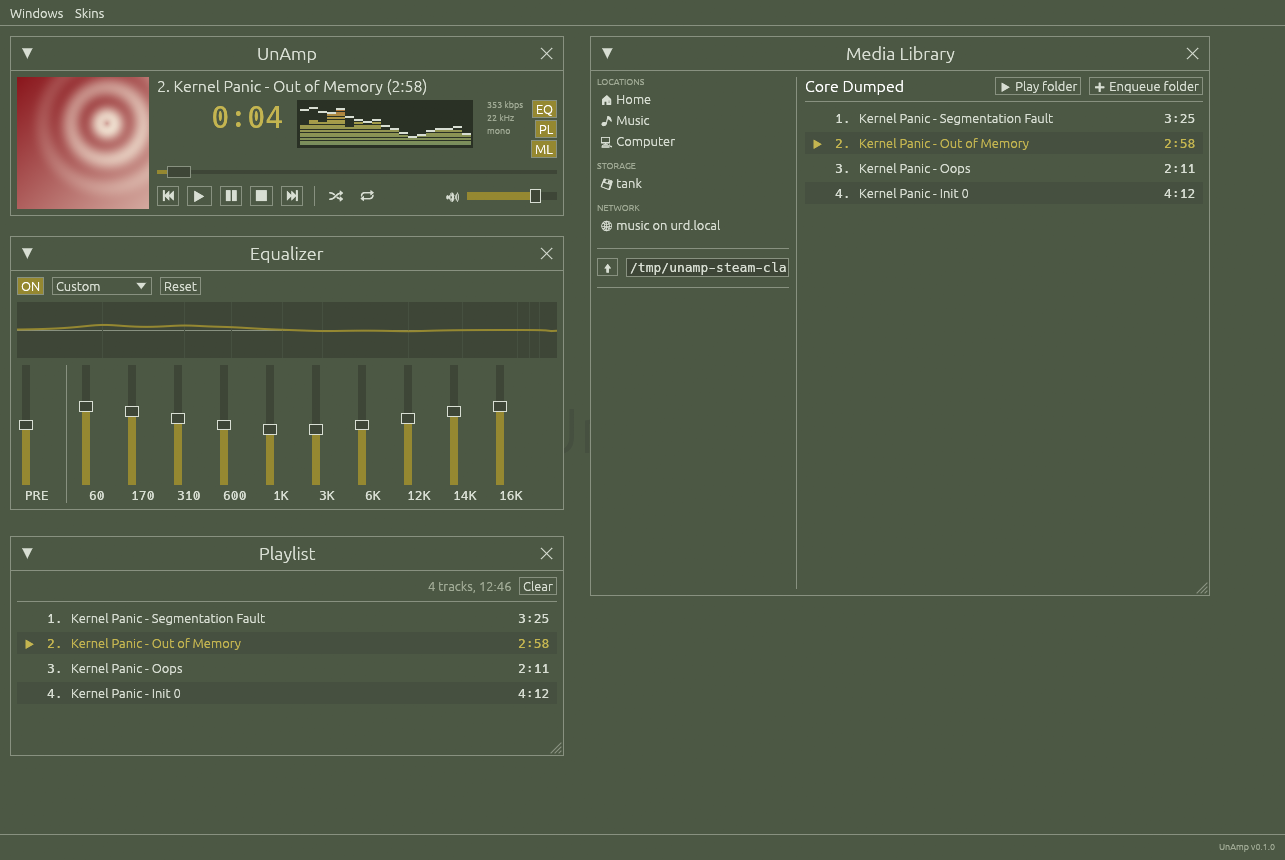
The prompts are in the repo at docs/prompts.txt, that's all it took.
Remember the time when people said if you didn't learn "Prompt Engineering" you would be "left behind"? Yeah that was really worth the YouTube ad revenue they got from it.
To skin or not to skin?
The basics were there, but seeing the old Steam theme put me in full nostalgia mode, and the next order of business was adding the support for real Winamp themes.
While sitting there on my nostalgia trip, trying out themes, I started connecting dots in my head; My other desktop app, Photograph was designed to be dark mode only on purpose, even if you switch to light mode in your OS settings, because at least in my opinion photo editing is better with a dark background.
What if I am wrong though, what if someone is editing a photo that will be hung on a white wall, or a grey one , or a pink one?
In the Linux world, some anti-theme Gnomes even bothered to put up a website asking distributions to stop theming their apps. To be fair, they have a point: restyle an app that was never designed for it and things break. But their answer is to keep control of the look with the developer and leave users "in unsupported territory", rather than building apps that expect to be skinned. The irony.
Unity in variety
A lot of people seek uniformity for good reason, it looks good when all the apps on your system have the same corner radius for example, apps drawing their own windows with their own different corner radius results in an ugly looking situation.
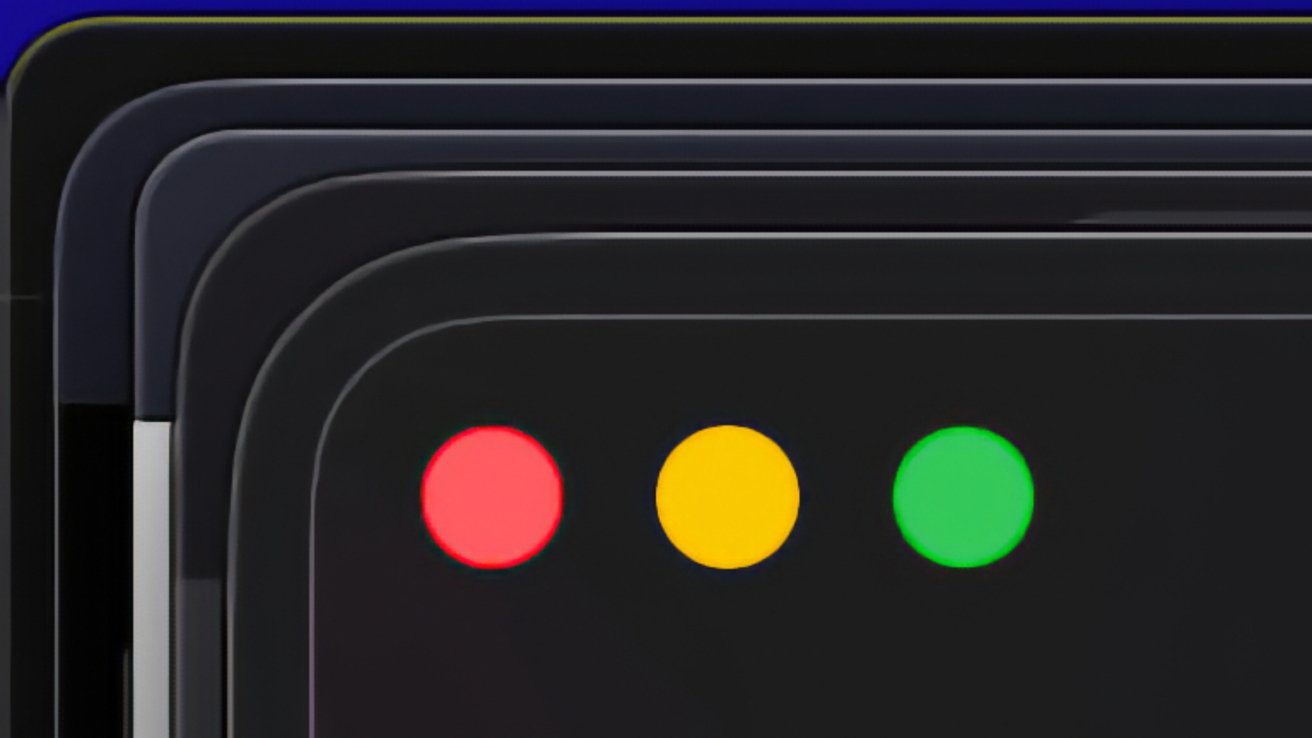
The rules of design are not limited to your desktop, and we can find answers elsewhere, this video about How to Make an Attractive City what I though of. Its argument is that beauty needs both order and variety. Think of a terrace of identical houses, each painted a different colour, or a street of differently shaped buildings in the same stone. Both are beautiful enough to attract tourists. A street where everything is the same is dull, and one where everything differs at is visually noisy and therefore also ugly. The town planner Thomas Sharp called it "unity in variety" back in 1968.
And that was the missing idea. The desktop doesn't have to choose between everything looking the same and chaos. It can hold the structure constant and let the look vary. That's a design choice, and you can write it down. But also, critically, you should let the user override it.
So I got to work packaging this idea along with common code I thought Photograph and UnAmp shared enough to be generic, and called it Patina. Inspired by how people who are really into things like leather goods and Barbour jackets go on about how the item becomes theirs over time and has a story, I think skinning your app has the spirit.
So with that, Patina is a way of building desktop apps:
- Every app has the same window frame and the same layout. The title bar holds word menus (File, Edit, View, Skins) on the left. On the right, next to the window buttons, it holds the actions for whatever the app exists to produce: Render in a photo editor, Today in a calendar.
- Every app reads the same skin format, a small TOML file, so a skin you make works everywhere. Each app can also have its own section in a skin, for the parts only it has.
- A skin can restyle anything, window frame included, but it never moves things or changes how they work.
- With no skin chosen, an app is plain egui and follows your desktop's light or dark setting.
- An app can start in a skin that suits its job. Photograph starts in a dark orange one.
Underneath it's patina-ui, a Rust crate for egui apps. It provides the window frame, the skin loader, light and dark switching, and the shared components, so each app doesn't have to rebuild them.
The apps I wanted to replace anyway
There were a couple of apps I'd wanted to replace for a while. Each of them always felt like it was missing something I needed. With a design language in hand, I got to work.
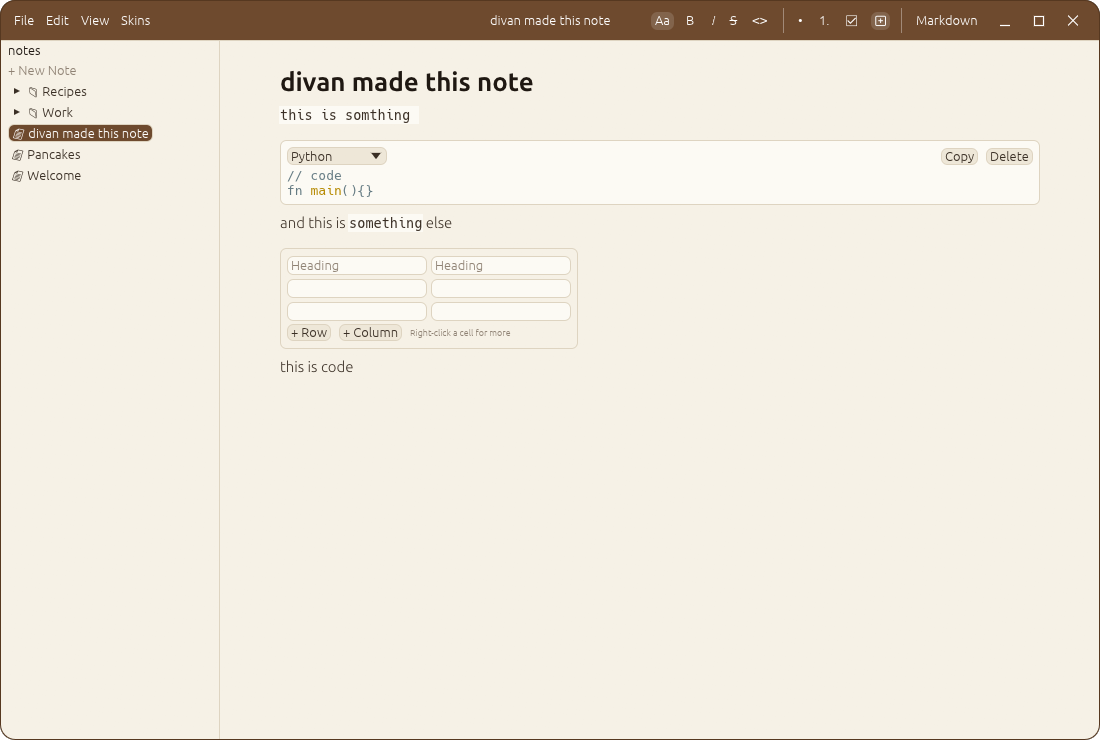
Notebook edits a folder of markdown files as rich text. It starts in a leather-brown skin over cream paper:
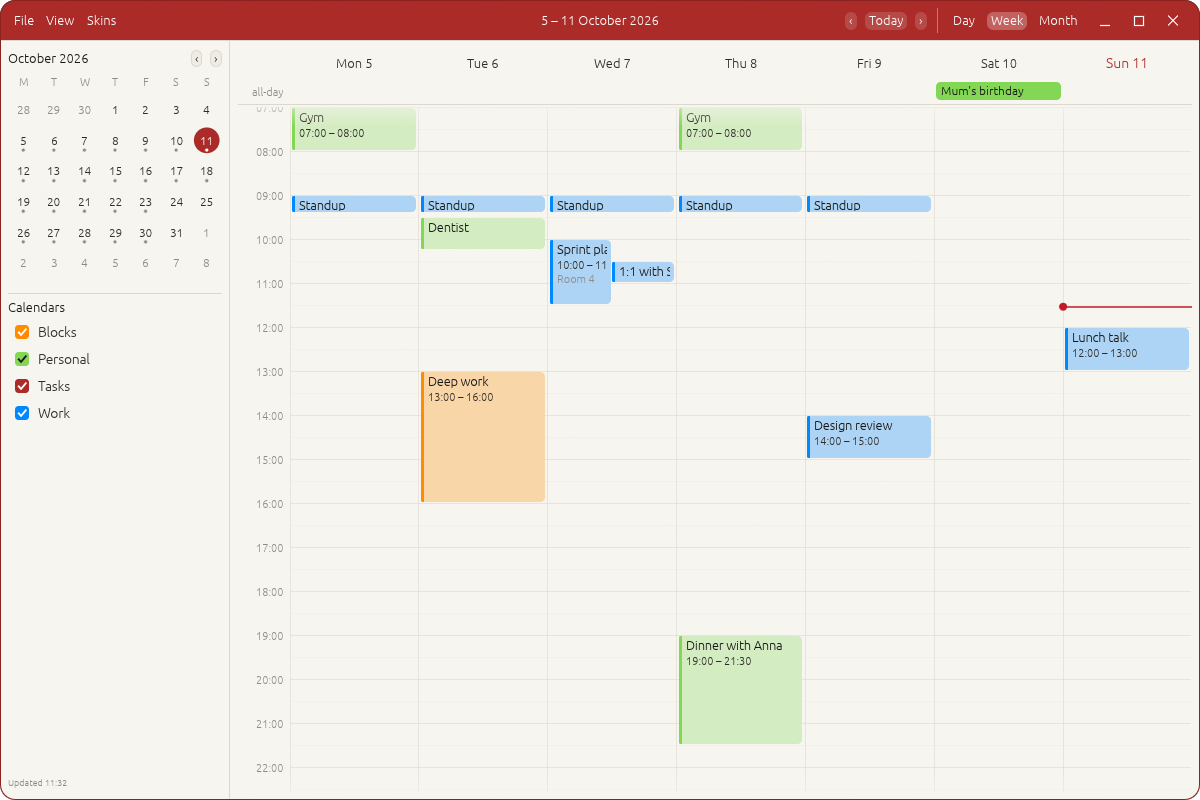
Calendar talks to my own CalDAV server, with a deep red bar over warm paper:
MD-Chat, ported just to test out patina on something existing, its an older chat client I made a while back for local models through Ollama. It can export a conversation to CMF:
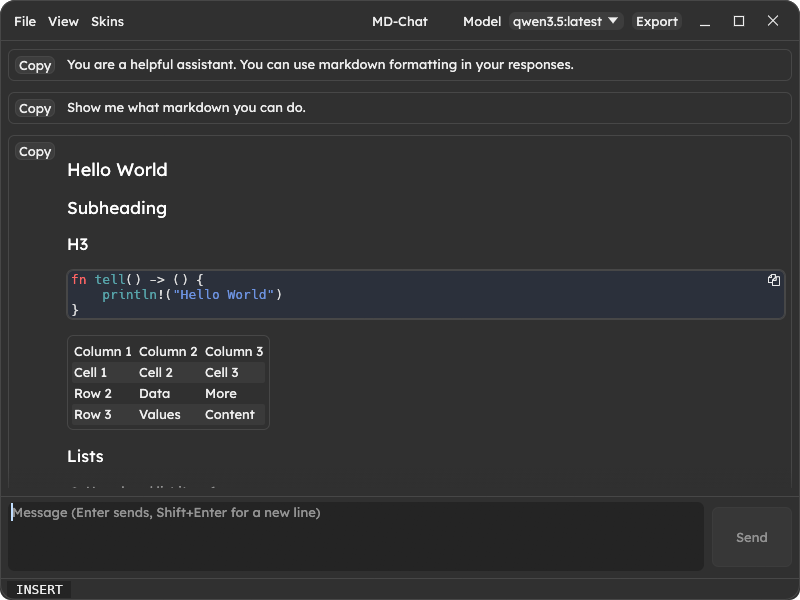
They look nothing alike in colour, yet they are obviously siblings. The menus are in the same place, and the output actions sit in the same corner. Every skin that one offers, the others offer too. In case you want your notepad to look like your calendar, or old steam, or anything else.
Why its relevant now
The Adobe suite rewrite is the extreme case, but you can see the trend. People are using coding agents to build the exact desktop app they want, in Rust, in an afternoon. That's wonderful, but it also means a lot of apps with no shared rules. Each invents its own window frame, its own menus and its own idea of where things go.
A guideline helps here, and it helps the agent as much as the human. Patina's rules are written down as a design language, with the reasoning recorded as ADRs. I also keep a skill file for my coding agent. It says how to set up a Patina app, where the menus go, how skins are wired in, and which mistakes I've already made. A new app built with it comes out fitting in with the others on the first try. What you get is cohesion without uniformity: apps that feel like a family, while each one keeps its own face. To me this is a way better result than a toolkit that tries to make them all identical. (Looking at you, GNOME.)
Sector F Labs
Patina lives at Sector F Labs, a little workspace I set up near the start of the BC era (Before ChatGPT), to work on... something. I really wasn't sure what. I thought it would be about changing the way we interact with computers, and I expected that to mean chat-driven everything: you ask, and the machine does it, with apps fading into the background.
This is not the direction I expected. It turns out the thing LLMs made easy for people was building apps: lots of them, made exactly how they want. That changes how the computer is used too, just not the way I predicted. So it fits the goal after all.
If you're vibe coding your own desktop apps in Rust, take a look at Patina. Use the crate, borrow the rules, or make a skin. Once there's a skin you like, every Patina app can wear it. It will also help as common generic use cases come up and are added into core.
Oh and yes. UnAmp runs on FreeBSD, I made sure of it. Also don't worry, it was raining all weekend anyway.